
If your attention disappears a few minutes after you sit down to work, the problem may not be motivation at all. For many people with ADHD, focus is heavily influenced by the environment: noise, clutter, lighting, notifications, and even the number of devices on the desk. The good news is that a better setup can remove friction, reduce overload, and make deep work feel far more realistic.
Best Tech Setup for ADHD Focus (Minimal Distraction Workspace 2026)
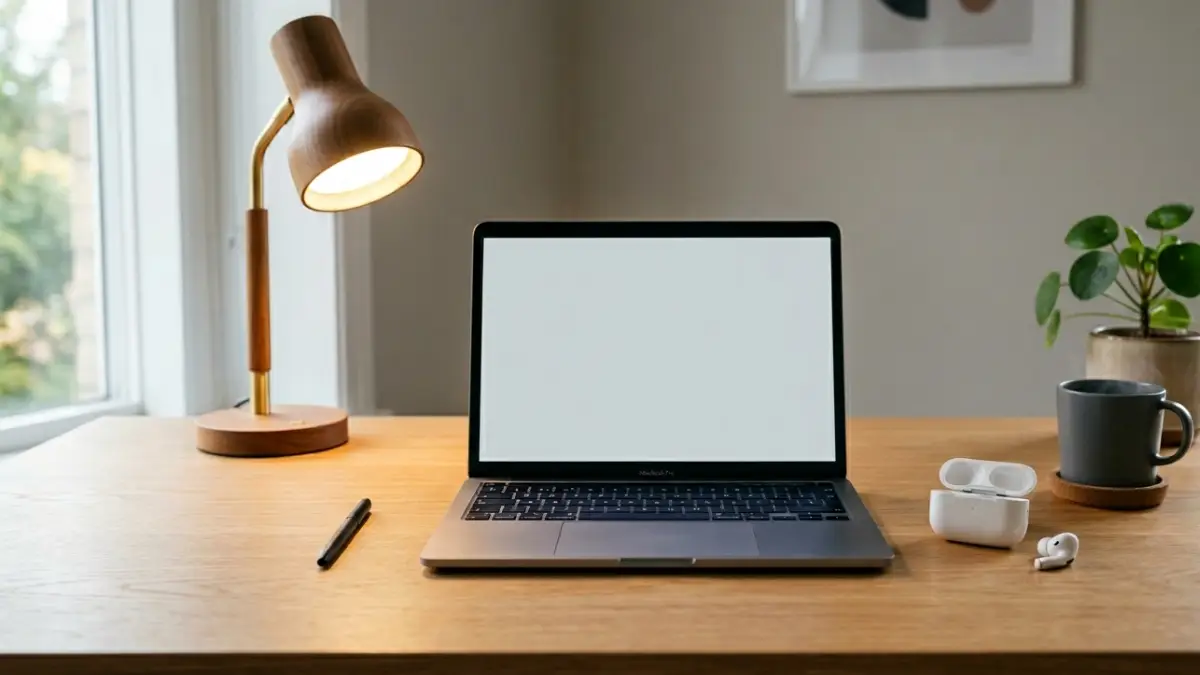
A focus-friendly workspace is not about perfection. It is about reducing friction, controlling stimulation, and making concentration easier to sustain.
Most productivity advice is built around the idea that you should simply ignore distractions. That sounds fine in theory, but it rarely works well for ADHD. A phone vibration, a bright screen, a conversation in the background, or a messy desk can all pull attention away from the task at hand. Instead of trying to “force” concentration, it usually works better to build a workspace that naturally supports it.
In practical terms, the best ADHD setup is not the one with the most gadgets. It is the one that feels calm, predictable, and easy to use. You want fewer obstacles between sitting down and getting started. You also want controlled stimulation instead of random stimulation. That is where the right tech choices can make a real difference.
What Makes an ADHD Workspace Different?
ADHD workspaces need a different balance. Complete silence is not always ideal, but constant noise is even worse. A fully empty desk may look nice, but a space that is too bare can also feel cold or uninviting. The key is not to remove everything. The key is to reduce unpredictable input while keeping helpful, stable cues in place.
A good setup should do four things well: block unnecessary distractions, lower the effort needed to start tasks, make long sessions more comfortable, and support a repeatable routine. That means your environment should work with your attention rather than against it.
For some people, this starts with sound. For others, it starts with lighting or desk clutter. But in almost every case, small changes in the physical workspace can improve focus more than another productivity app ever will.
1. Start With Noise Control
Noise is one of the biggest focus killers for ADHD. Random sounds force your brain to keep switching attention, even if you do not consciously notice every interruption. Traffic outside, people talking in another room, kitchen sounds, footsteps, and notifications can all break momentum.
That is why noise control should usually be the first upgrade. For many people, a pair of earbuds or headphones with active noise cancelling creates an immediate improvement. ANC reduces outside distractions and helps create a more stable sound environment. But there is another important detail here: complete silence is not always best.
Many ADHD users focus better with controlled background audio, such as brown noise, white noise, rainfall, or other low-intensity ambient sound. These sound layers can make the environment feel more consistent and reduce the impact of sudden outside noises. If you are still comparing options, our guide to the best earbuds for working from home can help you choose a pair that works well for both focus and calls.
You may also want to read ANC vs passive noise isolation if you are not sure whether active cancellation is worth paying for. In many ADHD-friendly setups, it is one of the most useful upgrades because it reduces one of the most common sources of attention loss: unpredictable background sound.
2. Keep the Desk Visually Quiet
Visual clutter creates mental clutter. Even when you are not directly looking at every item on your desk, your brain is still processing what is there. Cables, receipts, chargers, unopened packages, extra notebooks, and random accessories all compete for attention in subtle ways. A visually noisy workspace makes it harder to stay with one task.
The best approach is to keep only current essentials on the desk. That may include your laptop or monitor, one notebook, one pen, a lamp, and your earbuds or headphones. Everything else should be stored away. This does not mean your desk has to look empty and sterile, but it should feel intentional.
Color also plays a role. Softer, more neutral tones usually feel less distracting than bright mixed colors. White, gray, black, muted green, and natural wood finishes often work well in focus-oriented setups. If your workspace already feels busy, reducing visual noise may be just as powerful as buying a new device.
For a broader productivity-focused layout, you can also explore our article on the best work productivity setup in 2026, which covers desk arrangement, accessories, and workflow improvements in more detail.
3. Use Lighting That Supports Long Sessions
Lighting is easy to underestimate, but it has a direct effect on comfort, alertness, and mental fatigue. Harsh overhead lights can feel draining, especially during long work blocks. Very dim rooms can make you sleepy and reduce clarity. The best setup usually lands in the middle: bright enough to stay alert, soft enough to feel comfortable.
A warm desk lamp with adjustable brightness is often one of the simplest and most effective upgrades. It gives you control over the immediate work zone without flooding the room with harsh light. If possible, place the light slightly to the side rather than directly in your eyes or reflecting off the screen.
Natural daylight can help, but it is not always practical or consistent. If you work early, late, or in a room with limited sunlight, a good lamp becomes much more important. The goal is not just visibility. It is to create an atmosphere that helps you stay calm, awake, and comfortable enough to continue working.
4. Reduce Device Overload
One of the biggest mistakes in modern desk setups is using too many devices at once. A laptop, second monitor, phone, tablet, smartwatch, and multiple smart accessories can easily become a distraction system instead of a productivity system. Every screen adds another source of input, and every connected device creates more chances for interruption.
For ADHD, simpler is often better. One primary device is usually enough. A second monitor can be useful for certain jobs, but it should serve a clear purpose. If it simply gives you more space to scatter attention, it may be doing more harm than good.
Your phone deserves special attention here. If it is always within reach, it is always a temptation. Even if notifications are muted, the habit of checking it can break focus over and over again. Putting the phone out of reach or in another part of the room is a surprisingly effective change. Focus mode, Do Not Disturb, and app restrictions can help too, but physical distance often works best.
5. Remove Friction Before You Begin
For many people with ADHD, starting is harder than continuing. If your setup requires several small steps before you can work, you create resistance before the task even begins. Looking for a charger, opening the wrong apps, untangling cables, or searching for notes may seem minor, but together they make it easier to procrastinate.
A good focus setup is ready to go. Your laptop is charged. Your main tools are already where you need them. Your notes are easy to access. Your preferred audio is one click away. This sounds simple, but reducing setup friction is one of the best ways to make focused work more consistent.
Think of your desk as a launchpad. The fewer actions required to get into work mode, the more likely you are to begin quickly. That matters because once momentum starts, it is usually easier to keep going.
6. Controlled Stimulation Works Better Than Zero Stimulation
Many people assume an ADHD workspace should remove all stimulation. In reality, that often backfires. When the environment feels too empty or too quiet, the brain may start searching for input elsewhere. That is why controlled stimulation tends to work better than no stimulation at all.
Controlled stimulation can include stable background audio, soft lighting, a consistent desk layout, or even a repeatable pre-work ritual. What matters is that the cues are predictable. Random stimulation pulls focus away. Stable stimulation helps attention settle.
This is also why some people find brown noise more effective than silence, or why a single warm lamp can feel better than cold bright room lighting. The environment should not feel dead. It should feel calm and steady.
7. Build a Simple Focus Ritual
One underrated part of an ADHD-friendly setup is routine. When your workspace looks and feels similar every time you start working, it becomes a cue. Over time, your brain begins to associate those signals with concentration.
A focus ritual does not need to be complicated. It might be as simple as sitting down, putting on earbuds, turning on the lamp, opening your task list, and starting the same background audio. This sequence removes decision-making and makes it easier to transition into work mode.
The advantage of a ritual is that it creates consistency. Consistency is helpful because ADHD often makes transitions harder. A repeated pattern lowers the mental cost of starting.
8. The Best Minimal Distraction Setup in Real Life
If you want a practical example, a strong ADHD workspace in 2026 might look like this: one laptop or desktop as the main device, a comfortable chair, a clear desk, ANC earbuds, low-volume brown noise, a warm adjustable desk lamp, one notebook for quick capture, and a phone kept out of reach.
This setup is not flashy, but that is the point. It removes common sources of distraction while keeping the environment comfortable and repeatable. It also supports internal linking to related topics you already cover, such as the best monitors for productivity if readers want to expand the setup further without turning it into a cluttered multi-device station.
The best workspace is not the one with the most accessories. It is the one that makes it easiest to sit down, begin, and continue.
Common Mistakes to Avoid
There are a few patterns that repeatedly make focus harder. One is filling the desk with gadgets you do not really need. Another is relying on total silence even though it makes your mind wander. Harsh lighting, visible clutter, and constant notifications are also common problems.
A setup can look impressive on social media and still be bad for concentration. The goal is not to build a beautiful workspace that creates more maintenance. The goal is to build a practical system that lowers cognitive load and supports the way you actually work every day.
Final Thoughts
The best tech setup for ADHD focus is not really about buying more technology. It is about using the right tools to shape a better environment. Better sound control, lower visual clutter, softer lighting, fewer devices, and less friction can all make a meaningful difference.
If you struggle to stay focused, start with the environment before blaming yourself. Build a workspace that supports attention, and concentration becomes less about willpower and more about design. In many cases, that is the shift that changes everything.
Frequently Asked Questions
What is the best desk setup for ADHD focus?
A simple desk with low clutter, stable noise control, soft lighting, and minimal device distractions usually works best. The goal is to reduce unpredictable input and make starting tasks easier.
Is complete silence good for ADHD productivity?
Not always. Many people with ADHD focus better with controlled background audio such as brown noise, white noise, or rainfall because it creates a more stable sound environment.
Do ANC earbuds really help with focus?
They often do. ANC earbuds can reduce distracting outside noise and make it easier to maintain concentration, especially in shared spaces or work-from-home environments.
Should I use multiple monitors for ADHD?
Only if the second screen clearly supports your workflow. For some users, multiple monitors improve productivity. For others, they increase distraction by creating more visual input.
What is the easiest upgrade to make today?
Start with noise control and desk decluttering. Those two changes are usually the fastest and most noticeable improvements for attention and comfort.