
Most people think they lack discipline — but in reality, they lack the right environment. If you constantly lose focus or get distracted while studying, your setup is likely the real problem.
Best Tech for Studying (Focus Setup 2026) – Build the Perfect Productivity Environment
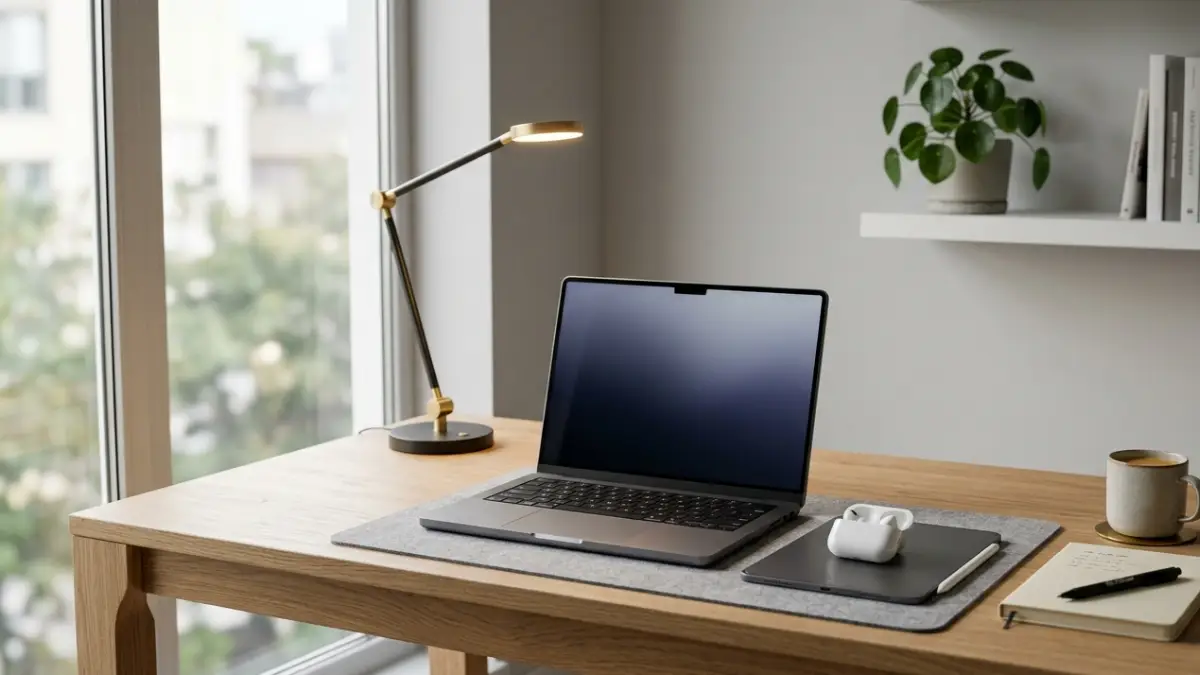
A clean, distraction-free study setup helps you stay focused longer and reduces mental fatigue.
Whether you’re preparing for exams, working remotely, or learning new skills, your study environment has a direct impact on your productivity. The right tools don’t just make studying easier — they remove friction, reduce distractions, and allow your brain to enter a deep focus state naturally.
In this guide, we’ll break down the best tech for studying in 2026, focusing on what actually makes a difference in real-world use — not just what looks good on a desk.
Why Your Study Setup Matters More Than Motivation
Motivation is unreliable. Some days you have it, most days you don’t. But your environment is always there — either helping you focus or constantly pulling your attention away.
A poor setup creates small, invisible problems:
- Background noise interrupts your thinking
- Bad posture causes discomfort after 30–60 minutes
- Poor lighting strains your eyes
- Clutter overloads your brain visually
Individually, these seem small. Together, they destroy your ability to concentrate.
A well-designed study setup solves these problems before they even start.
1. Noise Control – The Most Underrated Productivity Upgrade
If you can’t control noise, you can’t control your focus. Even low-level background sounds can break concentration and increase mental fatigue.
Noise-Cancelling Earbuds: Your First Upgrade
One of the simplest and most effective upgrades is using noise-cancelling earbuds. They help block out distractions and create a consistent audio environment.
If you’re choosing the right pair, these guides will help:
Comfort is critical for long sessions. If earbuds hurt after 1–2 hours, they become a distraction instead of a solution:
The goal is simple: remove noise without creating discomfort.
Silence vs Background Sound
Interestingly, complete silence doesn’t work for everyone. Many people focus better with controlled background noise like rain, white noise, or café ambience.
The key is consistency — your brain learns to associate that sound with focus.
2. Ergonomics – Comfort Drives Consistency
You can’t focus if your body is uncomfortable. Physical discomfort creates constant micro-distractions that reduce your mental performance.
The Chair Is Not Optional
If you study daily, your chair is one of the most important investments. A proper ergonomic chair supports your spine and reduces fatigue.
- Lumbar support
- Adjustable height
- Breathable material
Even upgrading from a basic chair to a mid-range ergonomic one can significantly improve your ability to sit and focus for longer periods.
Desk and Screen Position
Your screen should be at eye level. Looking down at a laptop for hours leads to neck strain and fatigue.
A simple laptop stand or external monitor can instantly fix this problem.
3. Minimalist Desk Setup – Less Clutter, More Focus
Your brain processes everything it sees. A cluttered desk means constant visual distraction.
A minimalist setup improves clarity and reduces mental load.
What You Actually Need
- Laptop or monitor
- Notebook or tablet
- Water bottle
- One or two essential tools
Everything else is optional — and often harmful to focus.
Cable Management
Messy cables create visual noise. Simple cable clips or sleeves can make your desk feel instantly cleaner and more professional.
4. Lighting – The Silent Performance Booster
Lighting affects your energy levels more than most people realize.
Natural Light
Whenever possible, study near a window. Natural light improves mood, reduces fatigue, and keeps your energy stable.
Artificial Lighting
If you study at night, invest in a good desk lamp:
- Cool white light → increases alertness
- Warm light → better for evening relaxation
Proper lighting reduces eye strain and helps maintain focus over long sessions.
5. Digital Tools That Actually Improve Productivity
Technology can either distract you or help you stay focused — depending on how you use it.
Pomodoro Technique
Study in structured intervals (25–50 minutes). This helps maintain focus and prevents burnout.
Distraction Blocking Apps
Social media is one of the biggest productivity killers. Blocking it during study sessions can significantly improve your output.
Note-Taking Systems
Digital tools help organize information better than scattered notes. Structured systems reduce cognitive overload.
6. Monitor vs Laptop – Optimizing Your Workspace
If you study for long hours, an external monitor can improve both comfort and efficiency.
- Larger screen reduces eye strain
- Better posture
- Easier multitasking
The ideal setup combines a laptop (for flexibility) with a monitor (for comfort).
7. Air Quality and Environment
Your environment affects your cognitive performance more than you think.
If you study in a small or enclosed space, improving air quality can help:
Clean air reduces fatigue and helps maintain mental clarity.
8. Small Upgrades That Make a Big Difference
Not every improvement needs to be expensive.
- Wireless mouse & keyboard → better ergonomics
- Desk mat → cleaner workspace
- Phone stand → reduce distractions
- Simple timer → track sessions
These small tools improve your workflow without adding complexity.
How to Build Your Ideal Study Setup (Step-by-Step)
- Fix your chair and posture
- Add noise control
- Improve lighting
- Declutter your desk
- Add productivity tools
Start with the basics before buying expensive gear.
Common Mistakes That Kill Productivity
- Overcomplicating your setup
- Ignoring comfort
- Studying in noisy environments
- Keeping your phone nearby
- Buying gear without fixing fundamentals
The best setups are simple, clean, and functional.
Final Thoughts – Build a System That Works
There is no single product that will magically make you productive. Real focus comes from a combination of environment, tools, and habits.
The best tech for studying is not the most expensive — it’s the one that removes friction from your daily routine and helps you stay consistent.
Start small, optimize gradually, and build a setup that supports your goals every day.
Frequently Asked Questions
What is the most important tech for studying?
Noise control and ergonomics are the most important. A quiet environment and comfortable setup improve focus more than any expensive device.
Are noise-cancelling earbuds good for studying?
Yes, they help block distractions and create a consistent environment, especially in shared or noisy spaces.
How can I improve my study setup?
Start with comfort (chair and desk), then reduce noise, improve lighting, and keep your workspace clean and minimal.
Is a monitor better than a laptop for studying?
A monitor improves posture and reduces eye strain, but laptops are more flexible. The best setup combines both.