
Complete Work From Home Audio Setup (2026): The Ultimate Guide for Clear Calls & Productivity
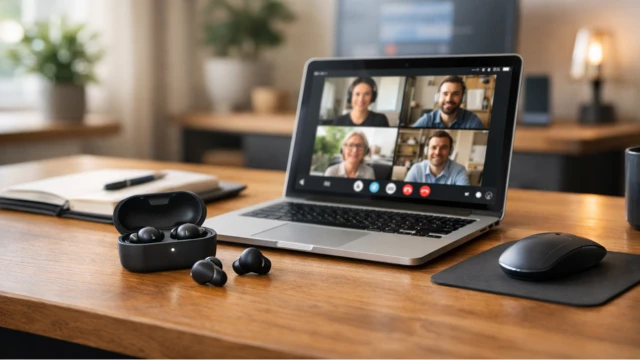
In 2026, remote work is no longer a temporary trend—it has become a permanent part of how we live and work. Whether you’re attending daily Zoom meetings, collaborating with global teams, recording content, or managing calls, having a reliable work from home audio setup is essential.
Many people underestimate how important audio quality is. Poor microphones, unstable connections, and background noise can make you sound unprofessional and reduce communication efficiency. On the other hand, a well-optimized setup can dramatically improve clarity, confidence, and productivity.
This complete guide will walk you through everything you need—from earbuds and microphones to full desk setups—so you can build a powerful and future-proof work environment.
Why Audio Quality Matters More Than Ever in Remote Work
Clear communication is the foundation of remote work. Unlike office environments where face-to-face interaction is possible, remote work relies heavily on voice clarity.
Bad audio can lead to misunderstandings, repeated conversations, and frustration during meetings. It can also affect how others perceive you professionally.
- Clear audio improves collaboration and efficiency
- Better microphones reduce fatigue during long meetings
- Professional sound builds trust in remote environments
👉 See our recommendations: Best Earbuds for Working From Home
Core Components of a Perfect Work From Home Audio Setup
A great setup is not about one device—it’s about combining multiple elements that work together seamlessly.
The ideal audio setup includes:
- High-quality wireless earbuds or headphones
- A reliable microphone (optional but recommended)
- A quiet and optimized workspace
- A stable device (laptop or desktop)
Each component plays a role in delivering clear, uninterrupted audio.
👉 Full setup guide: Best Work From Home Setup
Choosing the Best Earbuds for Calls & Meetings
Wireless earbuds are the most popular choice for remote work because they offer flexibility, portability, and strong microphone performance.
The best earbuds for work should have:
- Advanced microphone systems (beamforming mics)
- Active Noise Cancellation (ANC)
- Multipoint Bluetooth connectivity
- Comfort for long sessions
Top picks include:
👉 Compare all models: Best Wireless Earbuds 2026
Microphones vs Earbuds: Do You Really Need an External Mic?
Many users wonder if they need a dedicated microphone. The answer depends on your use case.
Modern earbuds already provide excellent microphone quality for most situations, including Zoom calls, meetings, and even casual recording.
However, if you:
- Record podcasts regularly
- Stream or create content professionally
- Need studio-level voice quality
Then a dedicated microphone may be worth it.
👉 Related: Best Headphones for Calls
Understanding Noise Control: ANC vs Passive Isolation
Noise is one of the biggest challenges in a home environment. Kids, traffic, and background sounds can interfere with your calls.
There are two main technologies to deal with this:
- Active Noise Cancellation (ANC): Uses microphones and algorithms to cancel noise
- Passive Isolation: Relies on earbud fit to block sound physically
👉 Learn more: ANC vs Passive Noise Isolation
👉 Deep dive: What is ANC?
Choosing the Right Laptop & Hardware for Audio Stability
Your audio quality is not only determined by earbuds—it also depends on your device.
A good laptop ensures stable Bluetooth connections, fast processing, and smooth call performance.
👉 Improve productivity: Best Monitors
Workspace Optimization: Comfort, Ergonomics & Focus
A comfortable workspace helps you stay productive for longer periods.
Audio quality is not just about devices—it’s also about your environment.
👉 Setup ideas: Productivity Setup
Pro Tips to Improve Call & Recording Quality Instantly
Even with the best equipment, small adjustments can significantly improve your audio.
- Choose a quiet room with minimal echo
- Position your microphone correctly
- Use stable internet and Bluetooth connection
- Update firmware of your earbuds
👉 Learn more: Bluetooth Codecs Explained
Final Verdict: Build a Future-Proof Work From Home Audio Setup
The perfect work from home audio setup is a combination of the right gear and environment. You don’t need expensive studio equipment—modern wireless earbuds already offer incredible performance.
If you want the best balance, premium models like Sony WF-1000XM5 or Bose QuietComfort Ultra are excellent choices.
👉 Explore more: Topivo Blog
Quick Comparison: Best Audio Gear for Work From Home (2026)
| Product | Best For | Mic Quality | Noise Cancellation | Battery | Link |
|---|---|---|---|---|---|
| Sony WF-1000XM5 | Best Overall | Excellent | Top-tier ANC | 8h+ | View |
| Bose QuietComfort Ultra | Best ANC | Excellent | Industry-leading | 6h+ | View |
| AirPods Pro 2 | Best for iPhone | Very Good | Strong ANC | 6h+ | View |
| Galaxy Buds 3 Pro | Best Android | Very Good | Strong ANC | 7h+ | View |
Frequently Asked Questions (FAQ)
What is the best audio setup for working from home?
The best setup includes high-quality wireless earbuds, a stable laptop, and a quiet environment. Premium earbuds with strong microphones and ANC provide the best balance between convenience and performance.
Do I need a separate microphone for Zoom calls?
Not necessarily. Modern earbuds already offer excellent microphone quality. However, if you record content or need studio-quality sound, an external microphone is recommended.
Are earbuds better than headphones for work?
Earbuds are more portable and comfortable for long sessions, while headphones may offer slightly better microphone and noise isolation depending on the model.
How can I improve call quality at home?
Use a quiet room, position your microphone correctly, and choose earbuds with advanced noise reduction and good codecs.
What features should I look for in work earbuds?
Look for multipoint Bluetooth, strong microphones, ANC, long battery life, and comfortable fit for extended use.