
Most earbud reviews are written for music listeners. Work-call earbuds are evaluated on a completely different set of criteria — and the earbuds that top music rankings are not always the ones that make your voice sound clear on Zoom.
Best Earbuds for Zoom Calls 2026: Clear Mic Picks for Work Meetings
We compared the strongest earbuds for Zoom, Microsoft Teams, Google Meet, and hybrid work meetings in 2026 — prioritizing outbound microphone clarity, background noise suppression, multipoint Bluetooth, comfort for all-day wear, and call stability over laptop and phone.
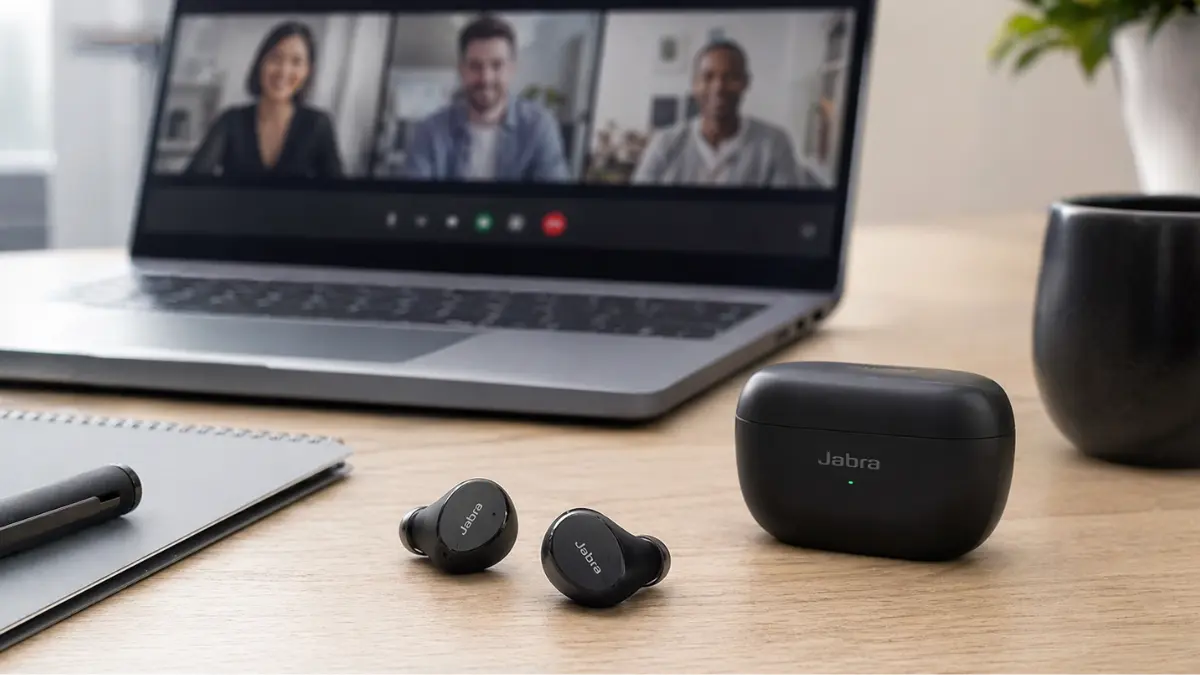
The earbuds most people already own were likely bought for music or commuting. Many work adequately for occasional calls. But if Zoom, Microsoft Teams, or Google Meet is a significant part of your workday, the difference between earbuds chosen for call quality and earbuds chosen for everything else becomes clear quickly — not in what you hear, but in what your colleagues hear from you.
Outbound microphone performance is the primary variable. It determines whether you sound clear and present or distant and muffled. Background noise suppression on the microphone side determines whether your colleagues hear your washing machine, your open office floor, or the street outside. Comfort matters when a meeting runs ninety minutes. Multipoint Bluetooth matters when you need to take a call on your phone while your laptop is connected. Battery life on calls matters differently than battery life during music playback.
This guide ranks earbuds based on these work-call priorities — microphone quality first, everything else second. Products are compared based on specifications, certification status, long-term expert review consensus, and positioning for professional and hybrid work use.
Quick Verdict
- Best overall for professional Zoom calls: Jabra Evolve2 Buds — certified, purpose-built for work
- Best consumer all-rounder for calls: Jabra Elite 10 Gen 2 — call clarity, multipoint, ANC in one package
- Best for iPhone and Mac users: Apple AirPods Pro — seamless Apple ecosystem integration
- Best for Android users: Google Pixel Buds Pro 2 — strong on Google Meet and Pixel devices
- Best for noisy offices: Bose QuietComfort Ultra Earbuds — strongest inbound ANC available
- Best balanced option: Sony WF-1000XM5 — strong ANC, capable call quality, good battery
- Best for Samsung users: Samsung Galaxy Buds3 Pro — optimized for Galaxy and Teams integration
- Best budget work-call option: Soundcore Liberty 4 NC — capable microphone and ANC below the premium tier
- Best for all-day comfort: Shokz OpenFit 2 — open-ear design, suitable for users who dislike sealed earbuds
- Best multipoint: Jabra Elite 10 Gen 2 or Technics EAH-AZ100 — reliable three-device switching
Comparison at a Glance
Compared across the factors that matter most for work calls. Specifications are indicative — verify current details with the manufacturer before purchasing.
| Model | Best For | Call Quality | Noise Handling | Multipoint / Ecosystem | Comfort |
|---|---|---|---|---|---|
| Jabra Evolve2 Buds | Professional meetings | Excellent | Strong (mic side) | USB dongle + BT, Teams certified | Good |
| Jabra Elite 10 Gen 2 | Consumer calls + multipoint | Very Good | Strong (mic + ANC) | 3-device multipoint | Very Good |
| AirPods Pro 2 / Pro 3 | Apple users | Very Good | Good (mic side) | Apple ecosystem only | Good |
| Sony WF-1000XM5 | Balanced ANC + calls | Good | Excellent (ANC) | 2-device multipoint | Good |
| Bose QC Ultra Earbuds | Noisy environments | Good | Best-in-class (ANC) | Multipoint, universal | Very Good |
| Samsung Galaxy Buds3 Pro | Samsung / Teams users | Good | Very Good | Galaxy ecosystem | Good |
| Pixel Buds Pro 2 | Google Meet / Android | Good | Good | Google / Android ecosystem | Very Good |
| Soundcore Liberty 4 NC | Budget work calls | Average–Good | Good for price | Multipoint, universal | Good |
| Shokz OpenFit 2 | All-day comfort | Good | Limited (open-ear) | Universal | Excellent |
Best Professional Option: Jabra Evolve2 Buds
The Jabra Evolve2 Buds is the only earbud on this list built specifically for professional meeting use. It carries Microsoft Teams and Zoom certification, includes a USB-A/USB-C Bluetooth dongle for a more stable laptop connection than most built-in Bluetooth provides, and features a six-microphone array with beam-forming designed for clear outbound voice in varied acoustic environments.
The included dongle is practically significant — it eliminates many of the Bluetooth stability issues that consumer earbuds encounter with laptop audio drivers. For anyone whose work involves frequent back-to-back Zoom or Teams meetings, this is a meaningful differentiator. ANC is good, though not at Bose or Sony levels. Battery life is solid for a work-day context. Verify current model availability before purchasing — Jabra periodically updates this line.
- Pros: Purpose-built for professional meetings; Teams and Zoom certified; USB dongle for stable laptop connection; six-microphone array with beamforming; reliable ANC
- Cons: Higher price than consumer alternatives; less impressive for music; USB dongle required for best performance adds a cable to manage
Best if your priority is professional-grade meeting performance with certified platform support and the most stable laptop connection available in an earbud.
Who should avoid it: Buyers who need earbuds primarily for music or casual use and only occasionally join calls — the premium over consumer alternatives is only justified by frequent professional meeting use.
Best Consumer All-Rounder for Calls: Jabra Elite 10 Gen 2
For users who want strong call performance without committing to professional-grade hardware, the Jabra Elite 10 Gen 2 is the most consistently well-regarded consumer earbud for outbound call clarity. Jabra’s background in professional audio equipment informs the microphone engineering here — the Elite 10 Gen 2 uses a multi-microphone system with directional processing that ranks well in independent assessments of call audio quality.
Three-device multipoint is reliable and well-implemented. ANC is strong for office and commute environments. Comfort for extended sessions is above average. Battery life is approximately 6 hours with ANC active — adequate for a full workday of meetings with a recharge at lunch if needed. For more context on call-focused earbuds, see our best earbuds for phone calls guide.
- Pros: Among the strongest outbound call microphone systems in the consumer category; 3-device multipoint; strong ANC; above-average long-wear comfort; detailed companion app
- Cons: 6h battery is below Sony and Pixel Buds Pro 2; sound tuning is functional rather than distinctive for music; premium price
Best if your priority is the best call microphone quality available in a consumer earbud, with reliable multi-device switching between laptop and phone.
Who should avoid it: Buyers who primarily need earbuds for music or gym use and only occasionally take work calls — there are more musically satisfying options at a similar price.
Best for iPhone and Mac Users: Apple AirPods Pro
For users working in the Apple ecosystem — iPhone, Mac, iPad — the AirPods Pro offer a level of integration that no third-party earbud can replicate. Automatic switching between devices is reliable. Microphone quality is strong, particularly with Apple’s transparency and voice isolation modes, which reduce background noise on the outbound signal in ways that are effective in typical home and office environments.
Check current model availability before purchasing — Apple may have released a newer AirPods Pro version. The AirPods Pro 2 USB-C remain a strong baseline; a newer generation may offer further improvements. On Windows or Android, the experience is considerably reduced — automatic switching, Siri integration, and the full microphone mode options are largely unavailable outside Apple devices.
- Pros: Best iOS and macOS integration available; reliable automatic device switching; strong outbound microphone with voice isolation mode; practical USB-C case
- Cons: Most features require Apple hardware; battery is approximately 6h with ANC; limited EQ control; not well-suited to non-Apple environments
Best if your priority is seamless switching between iPhone and Mac during meetings, with strong voice clarity in Apple-native meeting apps.
Who should avoid it: Windows-primary users, Android users, or anyone whose work setup involves non-Apple devices — the differentiating features simply don’t transfer.
Best Balanced Option: Sony WF-1000XM5
The Sony WF-1000XM5 is not the strongest call-specific earbud on this list, but it is the best option for buyers who need a single pair that handles calls, music, commuting, and travel without a clear weakness in any area. Call quality is above average — not at the Jabra tier for outbound microphone performance, but reliable for normal meeting environments. The ANC handles inbound ambient noise well, which improves the listener experience on long calls in offices or cafés.
Battery life at approximately 8 hours with ANC active is among the better figures in this tier. The companion app supports EQ and call-specific settings. Multipoint is available for two devices — sufficient for most laptop-plus-phone setups. For a more detailed breakdown, see our best noise cancelling earbuds guide.
- Pros: Well-balanced across calls, music, and commuting; 8h battery with ANC; strong inbound ANC; capable companion app; speak-to-chat works reliably
- Cons: Call microphone trails Jabra Elite 10 Gen 2; multipoint limited to two devices; fit depends on correct eartip selection
Best if your priority is a versatile single pair that covers work calls, music, and travel without meaningful trade-offs in any direction.
Who should avoid it: Users who primarily need a dedicated call earbud and are less focused on music or ANC quality — Jabra is the better-targeted option for that profile.
Best for Noisy Environments: Bose QuietComfort Ultra Earbuds
The Bose QC Ultra Earbuds lead the market for inbound noise cancellation — what the wearer hears. For users who work in consistently loud environments and need to concentrate during calls without being distracted by ambient noise, this is the most effective option available in an earbud form factor. The per-ear ANC calibration adjusts to each wear session, delivering consistent performance regardless of how the earbuds sit in the ear canal on a given day.
Outbound microphone quality — what colleagues hear from you — is capable but not the headline feature. In typical office and home office environments, the Bose QC Ultra microphone performs adequately. In very loud environments, the microphone noise suppression is reasonable but does not match the Jabra Evolve2 Buds for professional-grade outbound clarity. Battery is approximately 6 hours with ANC active.
- Pros: Best inbound ANC available — most effective at blocking what you hear during calls; per-ear adaptive calibration; comfortable for extended wear
- Cons: Outbound microphone is capable but not the strongest on this list; 6h battery below the Sony and Pixel Buds; premium price for an ANC-first product
Best if your priority is hearing your meetings clearly in loud environments, with ANC powerful enough to reduce background noise below the threshold of distraction.
Who should avoid it: Users whose primary concern is what their voice sounds like to others — the microphone is adequate but the Jabra Elite 10 Gen 2 is better-positioned for that specific need.
Best for Samsung Users: Samsung Galaxy Buds3 Pro
The Galaxy Buds3 Pro integrate closely with Samsung Galaxy devices and carry Microsoft Teams optimization for Galaxy ecosystem users. On Samsung phones, automatic switching, 360 Audio, and Teams-specific features work together in a way that generic third-party earbuds cannot replicate on Galaxy hardware. The ANC is strong, and the open-edge design is consistently noted as more comfortable for users who find fully sealed earbuds fatiguing over long work sessions.
For non-Samsung Android users or Windows users without a Galaxy phone, the ecosystem advantages are largely unavailable. The Buds3 Pro remain capable earbuds in that context but lose most of what distinguishes them from other options at the price.
- Pros: Best Samsung and Teams integration for Galaxy users; strong ANC; open-edge design is comfortable for long sessions; Microsoft Teams optimized
- Cons: Features depend heavily on Galaxy hardware; open-edge design trades some passive isolation for comfort; limited value outside Samsung ecosystem
Best if your priority is a work-call earbud that is deeply integrated with a Samsung Galaxy phone and Microsoft Teams.
Who should avoid it: Non-Samsung Android users or Windows users without a Galaxy device — the ecosystem dependency makes most of the differentiation unavailable.
Best for Android and Google Meet: Google Pixel Buds Pro 2
The Pixel Buds Pro 2 are the most integrated option for Google Meet users and those on Pixel or broader Android devices. Gemini Live integration enables direct AI interaction through the earbuds, and Google Meet connectivity is seamless on Pixel hardware. The microphone system performs well in typical work environments, and battery life at approximately 8 hours with ANC active is among the stronger figures on this list.
The full feature set is most accessible on Pixel devices. On non-Pixel Android, many features remain available through the Google app, though the tightest integration requires Pixel hardware. For Windows users or iPhone users, this is not the right choice.
- Pros: Best Google Meet and Gemini integration; 8h battery with ANC; strong overall call performance; comfortable for long wear
- Cons: Full feature set requires Pixel device; no clear microphone advantage over Jabra for professional call use
Best if your priority is Google Meet and Google ecosystem integration on Pixel or Android devices.
Who should avoid it: iPhone users, Windows users without Android devices, or anyone outside the Google ecosystem.
Best Budget Work-Call Option: Soundcore Liberty 4 NC
The Soundcore Liberty 4 NC is the most capable work-call option at a budget price point. The microphone system is average to good — not at Jabra or Apple levels, but functional for typical home office and quiet workspace environments. ANC is strong relative to the price, which means the listening side of calls is better handled than most competitors in this tier. Battery life — approximately 9 hours with ANC active — exceeds every premium option on this list.
For remote workers on a tight budget who primarily work from home and need earbuds that cover Zoom calls and music without significant compromise, the Liberty 4 NC is a practical choice. In noisier environments or for users who need consistently strong outbound call quality in varied acoustic conditions, stepping up to the Jabra Elite 10 Gen 2 is worth considering. See our Soundcore Liberty 4 NC review for more detail.
- Pros: Best ANC and call capability per dollar; 9h battery with ANC is best on this list; multipoint support; capable companion app
- Cons: Outbound microphone is average in noisy environments; build quality reflects the price; less refined than premium options
Best if your priority is effective work-call coverage at a budget price, primarily in home office or quiet environments.
Who should avoid it: Users who frequently take calls in loud offices, cafés, or public spaces — the microphone noise suppression is not strong enough to compensate in demanding acoustic environments.
Best for All-Day Comfort: Shokz OpenFit 2
The Shokz OpenFit 2 takes a fundamentally different approach from every other earbud on this list: it sits outside the ear canal entirely, using an open-ear design that allows ambient sound to pass through freely. For users who find sealed earbuds uncomfortable after more than an hour — or who need to remain audibly aware of their physical environment while on calls — this design solves a real problem that no sealed earbud can fully address.
The trade-off is isolation. Without a seal, the OpenFit 2 provides no passive noise attenuation and no meaningful ANC. In a quiet home office, this is not a problem. In a noisy open office or a café, the ambient noise the user hears during a call can become distracting, and the microphone may pick up more background sound. Microphone quality is good for a non-sealed earbud and handles typical home office conditions well.
- Pros: Most comfortable option on this list for extended wear; open-ear design maintains environmental awareness; no ear canal fatigue; good microphone for home office use
- Cons: No passive isolation or ANC — not suitable for loud environments; audio quality does not compete with sealed earbuds; open design means sound leaks to the surrounding room
Best if your priority is wearing earbuds comfortably for 6 to 8 hours straight without ear fatigue, primarily in a quiet home office environment.
Who should avoid it: Anyone who works in a noisy environment, needs privacy during calls, or values music quality from the same earbuds.
What Actually Makes Earbuds Good for Zoom Calls?
Outbound Microphone Quality
This is the most important factor and the most frequently ignored in general earbud reviews. Outbound microphone quality determines what your voice sounds like to other call participants. It is separate from and independent of the inbound audio quality you hear through the earbuds. A good microphone system captures voice accurately while reducing ambient noise on the outbound signal.
Beamforming and Microphone Array Design
Earbuds with multiple microphones and beamforming technology are better at isolating the speaker’s voice from ambient sound. Beamforming electronically focuses the microphone pickup pattern toward the mouth and away from surrounding noise sources. This is the primary technical differentiator between earbuds engineered for call quality and those engineered primarily for music.
Background Noise Suppression on the Microphone Side
Separate from ANC (which handles inbound noise), outbound noise suppression processes the microphone signal before it is transmitted on a call. Strong outbound noise suppression means your colleagues hear less of your keyboard, your fan, your open-plan office, or your street noise. This is a software and signal processing feature that varies significantly between products even at similar price points.
Transparency and Sidetone
Sidetone feeds a portion of your own voice back into your ears during calls, which prevents the tendency to speak too loudly when wearing sealed earbuds. Earbuds with good sidetone implementation help users speak at a natural, consistent volume throughout long meetings.
Bluetooth Stability with Laptops
Laptop Bluetooth implementations vary significantly in quality. Consumer earbuds that work flawlessly with a phone may produce audio dropouts or connection instability with specific laptop hardware. Professional earbuds that include a USB Bluetooth dongle — like the Jabra Evolve2 Buds — sidestep this issue by providing a dedicated, tested radio connection independent of the laptop’s internal Bluetooth.
Platform Certification
Microsoft Teams and Zoom certify specific earbuds for use on their platforms. Certified products have been tested for meeting controls integration — answering calls, muting from the earbud, and compatible call management. Certification does not guarantee the best microphone quality, but it ensures consistent platform compatibility.
Multipoint Reliability
Multipoint allows earbuds to maintain simultaneous connections to a laptop and a phone. The quality of multipoint implementation varies considerably — some products switch seamlessly when audio starts on a second device, others require manual intervention. For hybrid workers who take personal calls on a phone while connected to a work laptop, multipoint reliability is a practical daily concern.
Earbuds vs. Headsets for Work Calls
Dedicated headsets — particularly over-ear models with a boom microphone — still offer more consistent outbound audio quality than any earbud. A fixed boom microphone positioned at a consistent distance from the mouth provides a more predictable acoustic relationship than an earbud microphone located in the ear canal or on the earbud housing. For call center environments or roles where being on audio calls continuously is the primary job function, a wired or wireless headset remains the more reliable professional tool.
Earbuds are the more practical choice for hybrid workers who split their time between a desk, meeting rooms, a commute, and travel. They pack into a pocket or bag, work for music and calls interchangeably, and don’t require the visual and logistical footprint of a headset. For most remote workers who attend several video meetings per day but are not on continuous audio for eight hours, a good pair of earbuds is a workable and more versatile solution than a dedicated headset.
The honest answer is that the best tool depends on the use case. If calls represent 80% of your work time, a headset is the more appropriate investment. If calls represent 20–40% of your work time and you also need earbuds for commuting, music, and travel, a call-optimized earbud like the Jabra Elite 10 Gen 2 or Jabra Evolve2 Buds offers the best practical compromise.
Common Mistakes Buyers Make
Buying based only on ANC
ANC affects inbound audio — what you hear. It has no direct effect on outbound microphone quality — what others hear from you. Many buyers select earbuds based on ANC reviews and then find that their colleagues still complain about call audio quality. ANC and microphone performance are separate features that should be evaluated separately.
Assuming good music earbuds are good call earbuds
Earbuds optimized for music are engineered for driver frequency response, soundstage, and passive isolation. Earbuds optimized for calls are engineered for microphone array design, outbound noise suppression, and beamforming. These engineering priorities are different, and the products that lead in one category do not automatically lead in the other.
Ignoring laptop Bluetooth compatibility
Many buyers test earbuds with a phone and assume laptop performance will be equivalent. Laptop Bluetooth drivers and hardware vary significantly. If your work calls happen primarily through a laptop, test the earbuds specifically with your laptop — not just your phone — before the return window closes.
Underestimating comfort for long meetings
Earbuds that feel fine for a 20-minute call can become uncomfortable during a 90-minute workshop. Comfort during extended wear is worth evaluating specifically for work use. Open-ear designs like the Shokz OpenFit 2 exist precisely because sealed earbuds cause ear fatigue for some users during long sessions.
Choosing ecosystem earbuds outside their ecosystem
AirPods Pro outside Apple devices, Samsung Galaxy Buds outside Galaxy devices, and Pixel Buds outside Google devices all lose most of their differentiating features. Ecosystem earbuds are excellent choices within their intended environments and poor value propositions outside them.
How to Test Earbuds for Calls Before Keeping Them
Record a test call
Most video conferencing platforms allow recording. Start a solo Zoom or Teams meeting, record it, and listen back. This gives an objective representation of what your voice sounds like to others — which is typically more revealing than any spec sheet claim.
Test in both quiet and noisy conditions
Record a short clip in a quiet room, then another with a fan running nearby, then another with ambient speech in the background. Compare how much of the background noise reaches the recording in each condition. This reveals how effective the outbound noise suppression actually is in environments you’ll encounter.
Test laptop and phone switching
During the evaluation period, simulate a realistic work scenario: connect to your laptop for a meeting, receive a phone call, and check whether switching is seamless or requires manual reconnection. Repeat this a few times to assess multipoint reliability rather than relying on a single test.
Wear them for sixty minutes
Comfort during a long meeting is different from comfort during a brief fit test. If you experience ear canal pressure, shifting fit, or any discomfort after an hour, the earbuds are unlikely to improve with more use. This is particularly relevant for sealed in-ear designs.
Ask someone else how you sound
Your own perception of call quality is biased toward what you hear, not what you transmit. During the return window, ask a colleague or friend on a test call to give honest feedback about how your voice sounds — whether it is clear, whether background noise is audible, whether you sound like you’re calling from an echoey room. This is the most direct test of outbound microphone performance available.
Final Verdict
The best earbuds for Zoom calls in 2026 are not the same as the best earbuds for music — and treating them as equivalent leads to the most common buyer mistake in this category.
For professional meeting use where call quality is the primary requirement, the Jabra Evolve2 Buds is the correct choice. Its certification, USB dongle, and microphone engineering are purpose-built for this use case in a way no consumer earbud matches.
For the best consumer all-rounder that handles calls, music, and commuting without dedicated professional hardware, the Jabra Elite 10 Gen 2 is the most consistently well-regarded option for outbound call clarity with multipoint reliability.
Apple users should prioritize AirPods Pro — the current generation or any newer model Apple has released — for the iOS integration advantages that make calls on Zoom and FaceTime more seamless than any third-party alternative can provide on Apple devices.
For budget-conscious buyers working primarily from home in a quiet environment, the Soundcore Liberty 4 NC provides functional call quality and strong ANC at a price well below the premium tier.
For users who need to wear earbuds all day without ear fatigue, the Shokz OpenFit 2 is the only realistic option — accepting the trade-off of no isolation in exchange for genuine extended-wear comfort.
Frequently Asked Questions
What are the best earbuds for Zoom calls in 2026?
The Jabra Evolve2 Buds is the leading professional option, with certified compatibility for Microsoft Teams and Zoom. For a consumer all-rounder, the Jabra Elite 10 Gen 2 is widely regarded as the best combination of call clarity, multipoint, and ANC. iPhone users are best served by AirPods Pro, and budget buyers should consider the Soundcore Liberty 4 NC.
Are AirPods good for Zoom calls?
Yes, particularly for iPhone and Mac users. AirPods Pro offer strong microphone clarity, reliable device switching across Apple devices, and voice isolation modes that suppress background noise on the outbound signal. On Windows or Android, most differentiating features are unavailable.
Are earbuds better than headsets for Teams meetings?
Headsets generally offer more consistent microphone performance for intensive call use — call centers, full-time phone work. Earbuds are more practical for hybrid workers who divide time between a desk, meetings, commuting, and travel. For most remote workers attending several meetings per day, a call-optimized earbud is a reasonable and more versatile choice than a dedicated headset.
Do ANC earbuds improve microphone quality?
No. ANC affects inbound audio — what the wearer hears. Microphone quality — what call participants hear — is an outbound feature engineered separately. Some ANC earbuds have strong microphone systems; others do not. The two should be evaluated independently.
What matters most for work-call earbuds?
Outbound microphone clarity is the most important factor. Background noise suppression on the microphone side, comfort for extended wear, reliable multipoint Bluetooth for switching between laptop and phone, and stable laptop Bluetooth connectivity follow from there. Inbound ANC is a useful secondary feature but should not be the primary selection criterion for call-focused earbuds.
Can Bluetooth earbuds work reliably with laptops?
Generally yes, but reliability varies by laptop hardware and drivers. Professional earbuds like the Jabra Evolve2 Buds include a USB Bluetooth dongle that provides a more stable connection than most built-in laptop Bluetooth. For consumer earbuds, testing specifically with your laptop — not just a phone — during the return window is advisable.