
When one earbud always dies first, the problem is often real — but not always serious.
Why One Earbud Drains Faster Than the Other
Uneven earbud battery drain can be caused by asymmetric microphone use, master/slave Bluetooth behavior, touch control processing, poor charging contact, ANC or transparency mode asymmetry, firmware bugs, or battery cell aging — and while some degree of imbalance is built into how most earbuds work, persistent and large gaps between left and right are usually fixable once you know where to look.
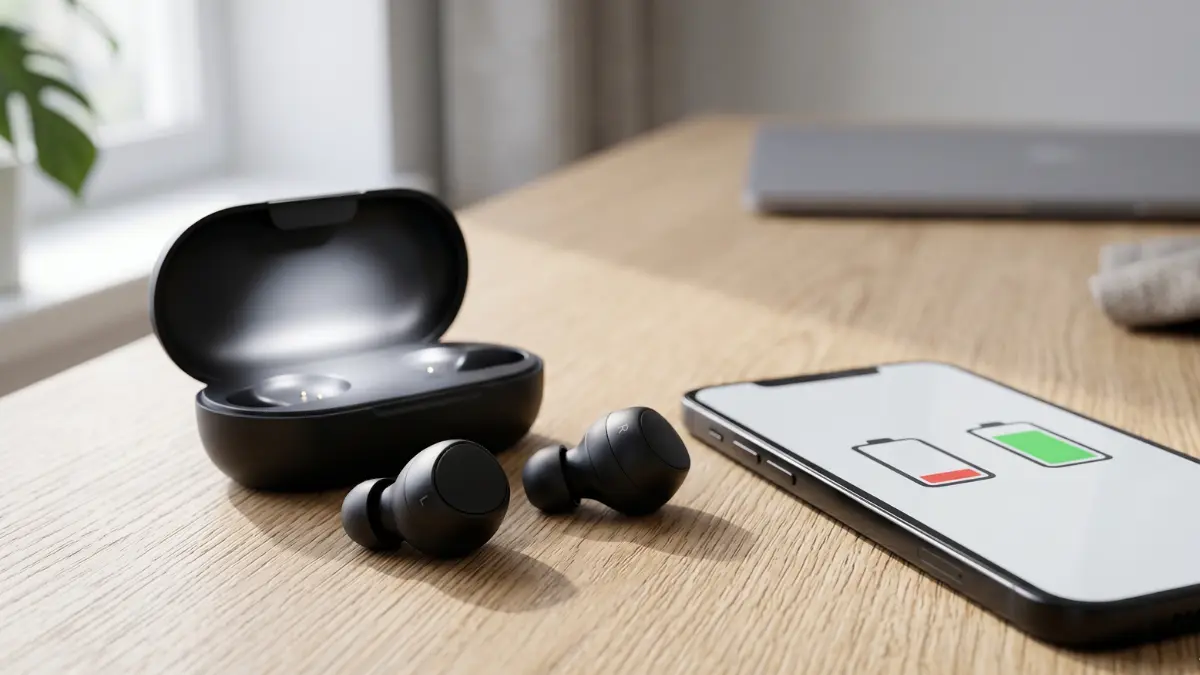
The moment you notice that one earbud hits low battery while the other still has charge to spare, the instinct is to assume something is broken. In most cases, that assumption is premature. True wireless earbuds are more architecturally complex than they appear — and several entirely normal design decisions can result in one side consuming more power than the other during ordinary use.
That said, not all battery imbalance is acceptable or expected. A consistent gap of 30 percent or more between earbuds, or one side that reliably dies in half the time of the other, points to something specific: a charging contact issue, a firmware sync problem, a battery that has degraded unevenly, or a case slot that is not actually topping up the earbud it appears to be charging. This guide explains how to tell the difference and what to do about it.
Small differences are normal. Large repeated gaps are not. A 5 to 15 percent battery difference between earbuds at the end of a listening session is within expected variation for most true wireless designs. A consistent 30 to 50 percent difference, or one earbud dying significantly before the other in every session, usually has a diagnosable cause.
Test these first, in order:
- Clean the charging contacts on both earbuds and inside the case slots with a dry cotton swab
- Reseat the earbuds in the case and verify that both charging indicator LEDs activate
- Charge both earbuds to 100 percent and let them drain fully before recharging — this helps recalibrate battery reporting
- Check whether you use one earbud solo for calls more often than the other
- Reset the Bluetooth pairing and reconnect from scratch
- Check for and apply any available firmware updates
Why One Earbud Can Drain Faster Than the Other
Most true wireless earbuds are not symmetrical systems. Even though both earbuds look identical from the outside, one typically acts as the primary connection point between your phone and the pair. This “primary” or “master” earbud maintains the direct Bluetooth link, processes the incoming audio stream, and then relays audio to the secondary earbud — which does less computational work and consumes less power as a result.
This asymmetric architecture is a deliberate engineering decision. Maintaining a single high-quality Bluetooth connection and relaying audio internally is more power-efficient than running two independent connections to your phone simultaneously. The trade-off is that the primary earbud draws more current, produces more heat, and drains its battery faster in every session.
On top of that, microphone processing, call handling, touch control responsiveness, and in some designs active noise cancellation are all handled asymmetrically. They do not necessarily split evenly between left and right. The result is that uneven battery drain is, to a significant degree, a structural feature of how most true wireless earbuds operate — not a defect.
What Is Normal Battery Imbalance — and What Is Not
Knowing where the line is between expected behavior and a genuine problem saves a lot of unnecessary concern — or avoids the opposite mistake of ignoring something that should be addressed.
Normal imbalance: A consistent difference of 5 to 15 percent between earbuds at the end of a session. One earbud showing slightly lower battery than the other across every session, with the same earbud always being the lower one. This reflects the master/primary architecture described above and is built into the design.
Worth monitoring: A consistent gap in the 15 to 25 percent range. This may still reflect normal design behavior on earbuds with heavy feature sets, or it may reflect a charging contact that is slightly degraded. Track it across several cycles before drawing conclusions.
Not normal: One earbud consistently reaching low battery 30 to 50 percent sooner than the other. One earbud dying mid-session while the other still has significant charge. Battery percentage reporting that jumps erratically on one side. One earbud that shows 100 percent at the start of a session but drops sharply within the first hour. These patterns point to a specific, addressable cause.
The Most Common Causes of Uneven Earbud Battery Drain
The most useful way to approach this problem is to separate the causes into two categories: those that involve how the earbuds use their charge during playback, and those that involve how the earbuds receive their charge while in the case. Both can produce the same symptom — one earbud dying faster — but the fixes are completely different.
One Earbud Handles More Work Than the Other
As covered above, most true wireless earbuds designate one side as the primary Bluetooth device. This bud maintains the connection to your phone, decodes the incoming audio stream, and transmits to the secondary bud over a short-range wireless link — typically Bluetooth or a proprietary near-field protocol. The primary bud does more computational and radio work per second and consumes more battery per hour as a result.
On many earbuds, you can identify which side is primary by checking which one you can use as a standalone mono earbud without the other. Whichever bud maintains the connection to your phone when used alone is the primary — and it is almost always the one with the faster battery drain.
Some earbuds allow you to switch the primary side through the companion app. If your earbuds support this, rotating which side acts as primary across different sessions will balance total battery wear more evenly over the long term, even if any individual session still shows some imbalance.
Microphone and Call Usage Drain One Side Faster
Microphone activation is one of the most power-intensive operations a small wireless earbud performs. Running the microphone continuously — as happens during a phone call — draws significantly more current than passive audio playback. On most earbuds, the microphone array is primarily active on one side during calls, which concentrates that power draw on a single earbud.
If you regularly use your earbuds for calls and those calls are long, the call-handling side will show meaningfully higher battery drain than the other. This is not a fault — it is the expected result of asymmetric microphone use. Testing it is simple: run two separate sessions of equal length, one with music only and one with calls included, and compare which side drains faster in each. If the gap is substantially larger during the call session, microphone usage is the driver.
For users who take frequent calls, switching which earbud handles the microphone — if the companion app permits it — or deliberately using the non-primary bud for solo call sessions can help distribute the load.
If you frequently notice that your earbuds are also quieter than expected, or seem to vary in quality between sessions, that can sometimes be related to how the primary and secondary sides manage their processing — which is covered in more detail in our guide on why earbuds sound quiet even at max volume.
Charging Contact Problems Inside the Case
This is the most underappreciated cause of apparent battery imbalance — and it requires a shift in thinking, because the problem is not actually in the earbud at all. It is in the case.
Each earbud charges through a set of metal pins that make contact with corresponding contacts in the case slot. If those contacts are dirty, corroded, misaligned, or worn, the earbud may sit in the case for hours while receiving only partial charge — or no charge at all. When you remove it in the morning and it shows 60 or 70 percent while the other earbud shows 100 percent, that is not an imbalanced battery. That is a charging failure that looks like a battery failure.
The diagnostic question is: does the earbud drain faster during use, or does it start a session with less charge than the other? If it consistently starts low, the case contacts are the suspect, not the battery or the earbud’s power consumption behavior.
Misalignment is also possible if the earbuds were inserted at an angle and the magnetic retention is weak. Always confirm both earbuds seat flush before closing the lid.
Firmware Bugs and Sync Problems
Firmware controls how the earbuds manage power, how they communicate battery state to your phone, and how they coordinate the primary/secondary role switching. Firmware bugs can disrupt any of these functions — and their effects on battery reporting and drain behavior can range from subtle to dramatic.
One common firmware-related battery symptom is inaccurate battery percentage reporting rather than genuine drain imbalance. One earbud may report 50 percent while actually holding 80 percent charge, or vice versa. This can make asymmetric drain appear much worse than it actually is. A full drain-and-recharge cycle — running both earbuds completely flat before a full recharge — often recalibrates the battery percentage reporting and resolves apparent imbalance that was purely a display issue.
Actual firmware-driven drain problems — where one side genuinely uses more power due to a software error — are less common but do occur. They typically appear after a firmware update and can sometimes be resolved by resetting the earbuds to factory defaults and re-pairing. Check the manufacturer’s app or website for known issues with your firmware version and whether an update addresses battery behavior specifically.
If you are also experiencing disconnection issues alongside battery imbalance, the two can sometimes share a firmware root cause. Our guide on why earbuds keep disconnecting covers that side of the problem in detail.
Battery Aging and Cell Degradation
Every rechargeable lithium battery loses capacity with each charge cycle. Over time, a fully charged battery holds less total energy than it did when new. This is not a defect — it is the chemistry. What makes it relevant to uneven drain is that the two batteries inside your earbuds do not always age at the same rate.
If one earbud is consistently the primary side and handles microphone use more often, its battery undergoes more charge cycles and deeper discharge events over the lifetime of the earbuds. That side’s battery will degrade faster than the secondary side’s battery. After a year or two of regular use, this can result in a meaningful capacity difference between left and right — one that was not there when the earbuds were new.
This type of aging-related imbalance is progressive and irreversible. It does not respond to cleaning contacts, re-pairing, or firmware updates. The only way to confirm it is to track drain behavior across many cycles over time and compare it to how the earbuds behaved when new. If the imbalance has grown steadily over months and the earbuds are over two years old, battery aging is the most likely explanation.
For a broader look at how earbud hardware degrades over time, our coverage of why earbuds sound worse over time explains how battery degradation intersects with other aspects of performance decline.
How to Test Whether It’s the Earbud or the Charging Case
Before concluding that an earbud is broken, it is worth being precise about which part of the system is actually responsible. The test sequence below distinguishes between a charging problem, a reporting problem, a usage-pattern problem, and a genuine battery degradation problem.
- Start with a clean slate. Clean all charging contacts on both earbuds and in both case slots. Reseat both earbuds and verify that both charging indicator LEDs light up. Charge to 100 percent.
- Run a music-only session. Use both earbuds for a session of two to three hours with only music — no calls, no voice assistant, ANC and transparency mode off if possible. Note the battery levels at the end.
- Run a call session. Repeat the same duration, but take phone calls as normal. Compare the drain pattern to the music-only session. A significantly larger gap during calls confirms microphone usage as the driver.
- Check the starting charge. If one earbud consistently starts a session with less than 100 percent despite being in the case all night, the case contact for that slot is the suspect. The earbud may be draining fine — it is just not charging fully.
- Run a full discharge cycle. Let both earbuds drain completely to zero, then charge fully. This recalibrates battery percentage reporting and can resolve apparent imbalances that are purely a software display issue.
- Try swapping slots. Place each earbud in the opposite slot and repeat. If the battery problem follows the earbud, the earbud is the issue. If it follows the slot, the case is the issue.
- Reset and re-pair. Factory reset both earbuds and reconnect from scratch. This clears any firmware state that might be misreporting battery or mismanaging power distribution.
Real Fixes That Actually Help
Once you have identified the likely cause, the appropriate fix becomes straightforward.
For charging contact problems: Clean the contacts and verify active charging after every insertion. If cleaning does not resolve it, inspect the contacts for visible wear or corrosion. Some cases develop contact degradation over time, particularly on the charging pin side. If the contacts are physically damaged, the case may need to be replaced — in some ecosystems this is possible separately from the earbuds.
For primary/secondary role imbalance: Check whether the companion app allows you to switch which earbud acts as primary. If it does, alternating the primary side periodically distributes the additional processing load and slows down asymmetric battery aging over time.
For microphone-driven drain: If you take many calls, consider using the secondary earbud solo for calls where possible — this distributes microphone use more evenly. Some earbuds let you designate which side handles call audio through the app.
For firmware reporting issues: Run a full discharge-and-recharge cycle to recalibrate battery state estimation. Then check for firmware updates and apply any available. Factory reset if the reporting remains erratic after an update.
For ANC or transparency drain: Disable these features in sessions where you do not need them. Even if ANC processing is symmetric in your earbuds’ design, disabling it removes a significant background power draw and extends session life for both buds, reducing the window in which imbalance can manifest.
If you are comparing your earbuds’ battery performance against expectations, our earbud battery life comparison provides real-world figures across a wide range of current models.
When the Battery Itself Is Aging
Battery degradation in earbuds follows the same chemistry as any rechargeable lithium cell. After 300 to 500 full charge cycles — roughly one to two years of daily use — most earbud batteries retain 70 to 80 percent of their original capacity. After 500 to 800 cycles, the decline accelerates.
The asymmetric effect on left and right occurs because usage is asymmetric. The primary earbud, the call-handling side, and the side used more often for solo listening all accumulate charge cycles faster. Over a two-year period, the difference in effective capacity between the two sides can become noticeable — and no software intervention will recover it.
One sign of battery aging rather than a charging or firmware issue: the total session time from both earbuds is getting shorter compared to when they were new, even after cleaning and re-pairing. If the absolute battery life of the pair is declining alongside the imbalance, aging is the explanation. Earbuds in this state are not failing — they are simply approaching the end of their practical service life.
Budget earbuds tend to reach this point faster due to smaller cells and less consistent manufacturing. If you are tracking battery performance across different models, our comparison of earbuds with long battery life covers which designs hold up better over time.
When the Problem Means It’s Time to Replace Them
Not every battery imbalance justifies replacement. But there are clear signals when the answer is to move on rather than continue troubleshooting.
Keep using and fix
- Battery imbalance appeared recently and suddenly
- Charging contacts were dirty and clean-up improved things
- Problem resolved after factory reset or firmware update
- Earbuds are under 18 months old
- Imbalance is consistent at 10 to 20 percent — within expected primary/secondary design behavior
- Total session life from both earbuds combined is still acceptable
Consider replacing
- One earbud dies 40 to 50 percent faster than the other across all sessions
- All diagnostic steps have been completed with no improvement
- Total session battery life has declined significantly from original performance
- The problem has worsened progressively over months
- Earbuds are over two years old with heavy daily use
- One earbud shows erratic battery percentages that do not correspond to real drain
- The case contacts are visibly corroded and cannot be restored
If you are at the point of replacement, our 2026 tested and ranked earbuds guide covers the strongest options across every price tier, with real-world battery performance included as a primary evaluation criterion.
Final Verdict
A small battery difference between earbuds is not a problem — it is how most true wireless earbuds are designed to work. The primary Bluetooth side, the call-handling microphone, and uneven usage patterns all contribute to some level of asymmetric drain in normal operation. Treating this as a defect will lead you to replace earbuds that are functioning exactly as intended.
What is worth diagnosing is a persistent, large imbalance: one side that drains 30 to 50 percent faster every session, starts each session with less charge despite being in the case, or shows erratic battery readings that do not match observed drain behavior. In the majority of these cases, the cause is a dirty charging contact, a firmware reporting issue, or a Bluetooth sync problem — all of which are addressable without replacing anything.
Battery aging is the one cause that is not fixable, but it follows a predictable timeline. If your earbuds are under two years old and the imbalance has appeared recently, start with the simple interventions — clean contacts, full discharge cycle, factory reset — before concluding the hardware has failed. Most cases resolve before you reach that conclusion.
Frequently Asked Questions